
Gmail Compose Box Redesign
Fixing the interface that makes sending email harder than it should be
Tool/
Figma
Duration/
3 Weeks
UI Design
Interaction Design
Gmail Compose Box Redesign
Fixing the interface that makes sending email harder than it should be
Tool/
Figma
Duration/
3 Weeks
UI Design
Interaction Design
Every Gmail user with more than one account has felt it: you hit send, and then you wonder which account you just sent from. You go back to check. Sometimes you're right. Sometimes you're not. That moment — the second-guess after send — is a design failure. It means the interface didn't show you something important when it mattered.
This redesign doesn't add features. It fixes the three things that create doubt before you've written a word.
Every Gmail user with more than one account has felt it: you hit send, and then you wonder which account you just sent from. You go back to check. Sometimes you're right. Sometimes you're not. That moment — the second-guess after send — is a design failure. It means the interface didn't show you something important when it mattered.
This redesign doesn't add features. It fixes the three things that create doubt before you've written a word.
The Problem
Gmail's compose window has a toolbar problem, a sender problem, and a hierarchy problem — and they all show up at the same time, the moment you open the window to compose a new message.
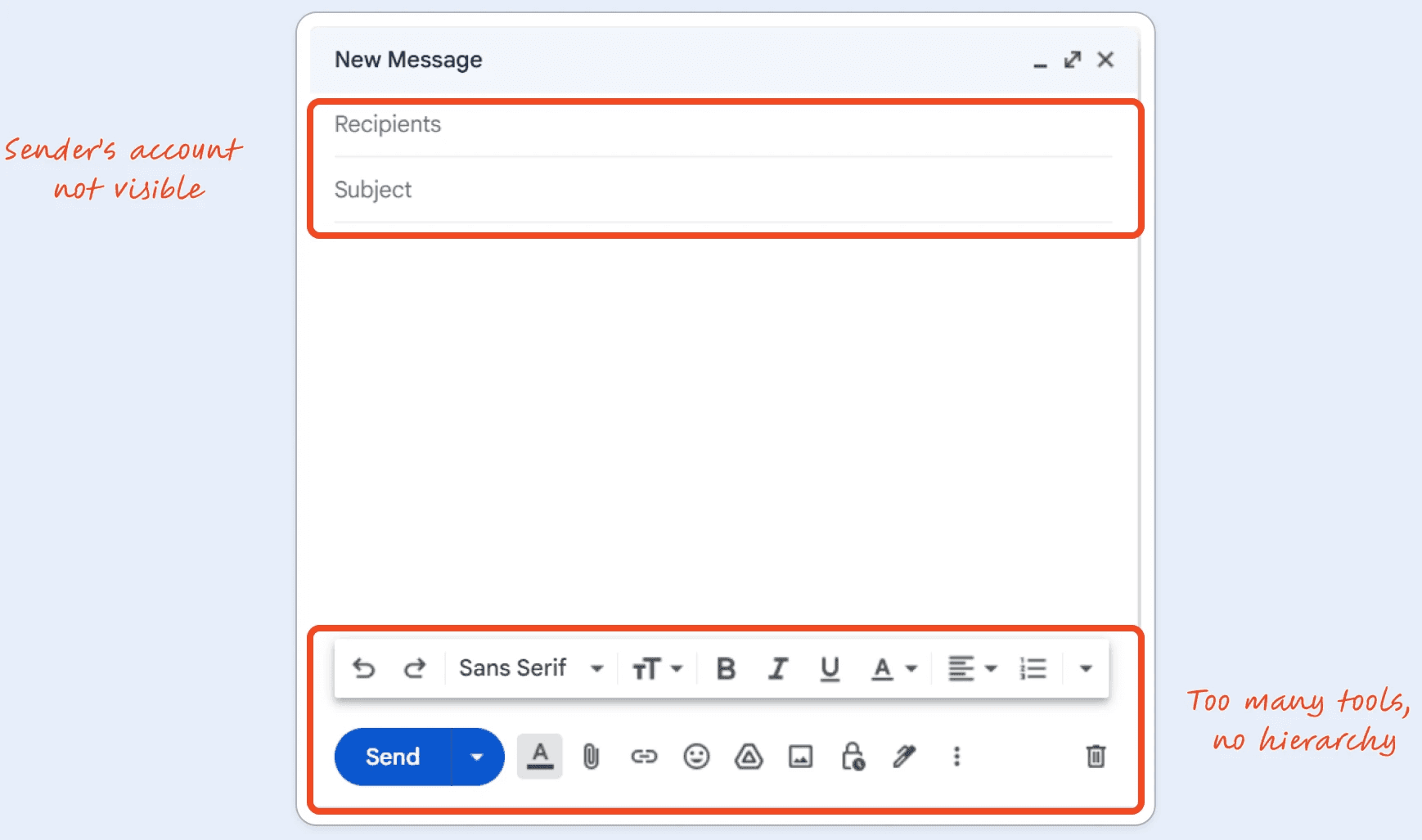
Eleven toolbar icons, all the same visual weight. Bold sits next to confidential mode. Drive attachments share a row with italic. There's no signal about what's relevant for this email, right now. Every session starts with a moment of scanning that shouldn't exist.
The From field is there — but it doesn't ask for attention. For anyone managing two accounts, that's the highest-stakes field in the window. The interface treats it like metadata.
The Send button competes with eight other icons for your eye. The primary action on the screen has no visual priority.
I came to this as a solo project — no brief, no users to recruit, no stakeholders to align. What I had was a structured heuristic audit of my own experience with the interface, and four constraints I set before opening Figma.
Gmail's compose window has a toolbar problem, a sender problem, and a hierarchy problem — and they all show up at the same time, the moment you open the window to compose a new message.
Eleven toolbar icons, all the same visual weight. Bold sits next to confidential mode. Drive attachments share a row with italic. There's no signal about what's relevant for this email, right now. Every session starts with a moment of scanning that shouldn't exist.
The From field is there — but it doesn't ask for attention. For anyone managing two accounts, that's the highest-stakes field in the window. The interface treats it like metadata.
The Send button competes with eight other icons for your eye. The primary action on the screen has no visual priority.
I came to this as a solo project — no brief, no users to recruit, no stakeholders to align. What I had was a structured heuristic audit of my own experience with the interface, and four constraints I set before opening Figma.
How I Thought Through It
Before touching layouts, I wrote four rules. Any direction that didn't meet all four was out:
Before touching layouts, I wrote four rules. Any direction that didn't meet all four was out:
📈 Progressive disclosure over permanent visibility
Complexity lives behind a tap, not in the default state.
👀 Account visibility is non-negotiable
The From field gets the highest visual prominence, not because it's used most, but because a mistake there costs most
✋🏻 Hierarchy over quantity
The toolbar doesn't need fewer tools, it needs a clear order.
💪🏻 The compose area is the product
Everything else supports writing.
Concept A
Concept B
Concept C
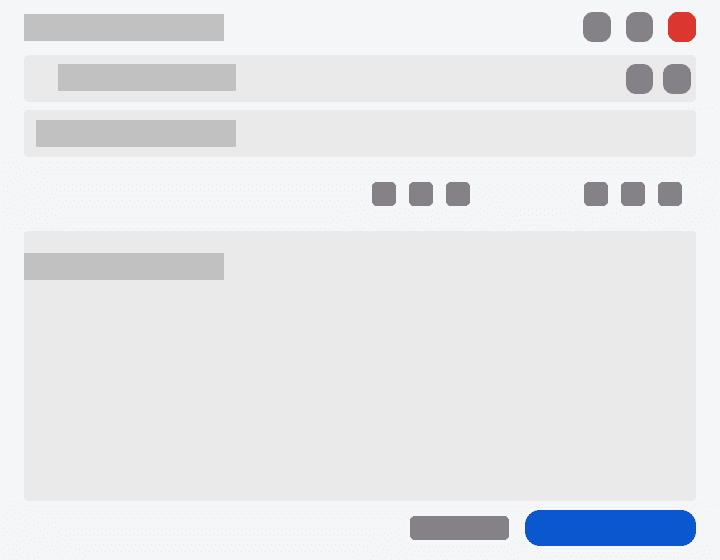
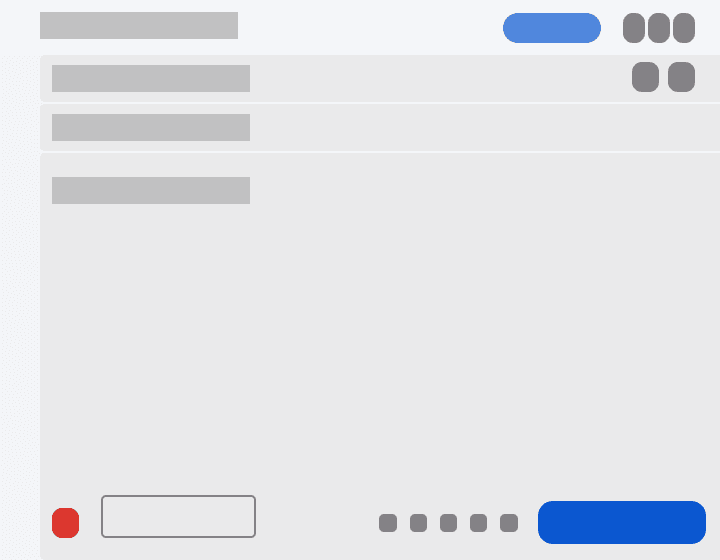
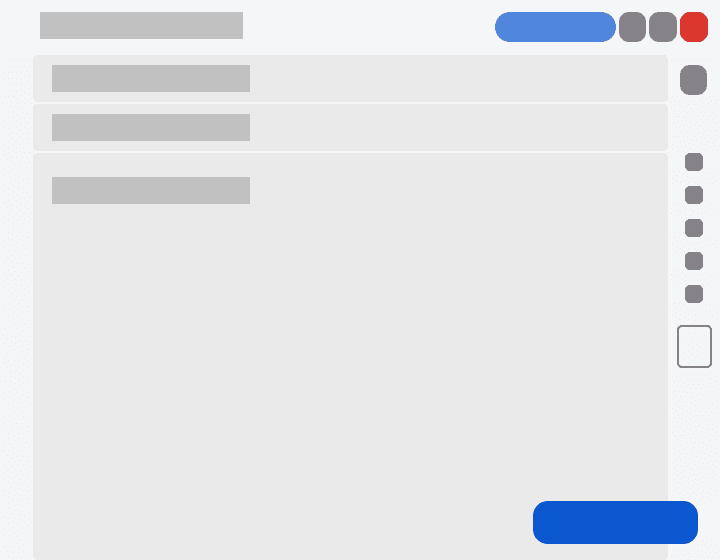
Concept A put the toolbar inline and Send anchored at the bottom. Concept B put everything at the bottom to keep the compose area uninterrupted — clean in theory, but it broke the spatial relationship between formatting tools and the text they act on. Reaching down to bold something you just typed felt disconnected. Concept C moved secondary actions to a right rail — but it read as a sidebar, not part of the flow. Users would have to shift attention sideways to access things that belong to the content on the left.
Concept A put the toolbar inline and Send anchored at the bottom. Concept B put everything at the bottom to keep the compose area uninterrupted — clean in theory, but it broke the spatial relationship between formatting tools and the text they act on. Reaching down to bold something you just typed felt disconnected. Concept C moved secondary actions to a right rail — but it read as a sidebar, not part of the flow. Users would have to shift attention sideways to access things that belong to the content on the left.
Concept A won because it follows the mental model without breaking spatial relationships: who you're sending to → what you're writing → send it. The layout follows the task, not the other way around.
Concept A won because it follows the mental model without breaking spatial relationships: who you're sending to → what you're writing → send it. The layout follows the task, not the other way around.
What I Built
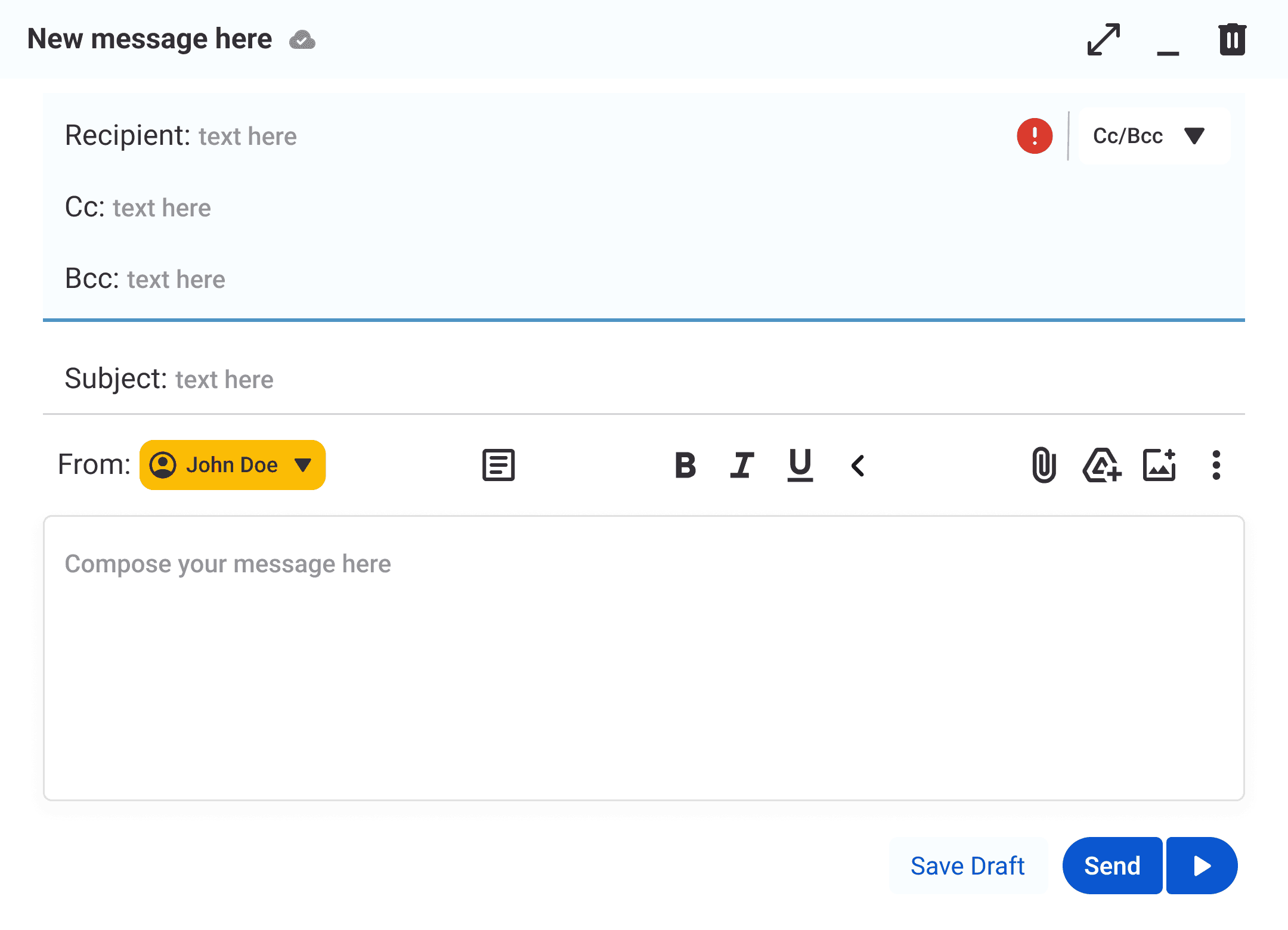
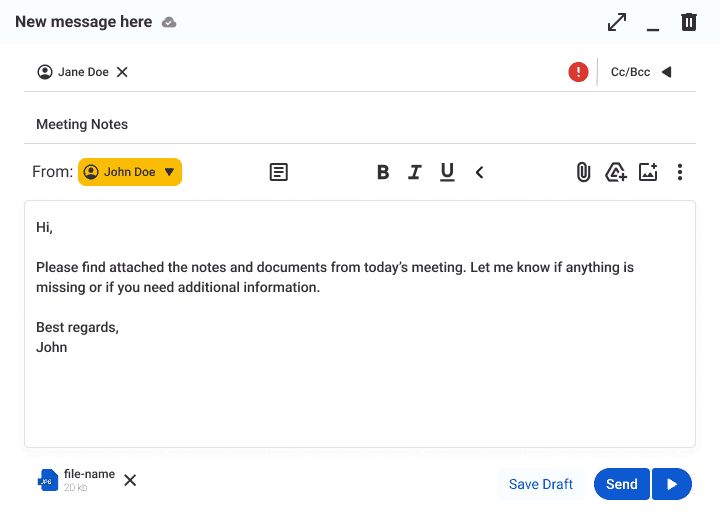
The final compose window makes five changes from the original:
The From field becomes a yellow pill, positioned in the toolbar row before you reach the compose area.
The toolbar splits into two tiers — bold, italic, underline, and one formatting group stay visible; attachments, emoji, Drive, and secondary tools move behind a chevron.
Cc and Bcc collapse behind a toggle and expand on tap. Recipients appear as dismissible chips so you can see who's included throughout the session.
Error states — missing recipient, invalid email — surface at the field level and disable Send until resolved.
The final compose window makes five changes from the original:
The From field becomes a yellow pill, positioned in the toolbar row before you reach the compose area.
The toolbar splits into two tiers — bold, italic, underline, and one formatting group stay visible; attachments, emoji, Drive, and secondary tools move behind a chevron.
Cc and Bcc collapse behind a toggle and expand on tap. Recipients appear as dismissible chips so you can see who's included throughout the session.
Error states — missing recipient, invalid email — surface at the field level and disable Send until resolved.
Results
No user testing. No metrics. That's worth saying plainly, not apologizing for.
What this audit produced was a before and after you can actually compare. The original: 11 toolbar icons at equal visual weight, no visible sender account, Cc/Bcc fields open by default, Send button competing with everything else. The redesign: 5 toolbar items visible, From pill at highest visual contrast, Cc/Bcc hidden until needed, Send isolated and prominent.
Whether those changes reduce errors or speed up composition — I don't know. That's the honest answer. What I can say is that every element now has a stated reason for its position, and I can point to the constraint it came from. That's a different kind of rigour than metrics, but it's rigour.
No user testing. No metrics. That's worth saying plainly, not apologizing for.
What this audit produced was a before and after you can actually compare. The original: 11 toolbar icons at equal visual weight, no visible sender account, Cc/Bcc fields open by default, Send button competing with everything else. The redesign: 5 toolbar items visible, From pill at highest visual contrast, Cc/Bcc hidden until needed, Send isolated and prominent.
Whether those changes reduce errors or speed up composition — I don't know. That's the honest answer. What I can say is that every element now has a stated reason for its position, and I can point to the constraint it came from. That's a different kind of rigour than metrics, but it's rigour.
Explore the Design
The best way to understand the decisions is to feel them. Open the prototype and check it out for yourself.
The best way to understand the decisions is to feel them. Open the prototype and check it out for yourself.
What I'd Do Differently
I'd run five usability sessions before committing to the yellow pill. I made that call based on colour theory and my own read of the interface — but I don't actually know if users see yellow as "pay attention" or "something's wrong." That's a testable question I skipped. I'd also challenge my own constraint earlier: I decided account visibility was non-negotiable before exploring whether the problem could be solved differently — maybe a confirmation step before send, or a persistent sender indicator in the header. I locked the constraint before I'd fully tested the problem.
I'd run five usability sessions before committing to the yellow pill. I made that call based on colour theory and my own read of the interface — but I don't actually know if users see yellow as "pay attention" or "something's wrong." That's a testable question I skipped. I'd also challenge my own constraint earlier: I decided account visibility was non-negotiable before exploring whether the problem could be solved differently — maybe a confirmation step before send, or a persistent sender indicator in the header. I locked the constraint before I'd fully tested the problem.